
A useful website makes the next step easy and gives your team a build it can maintain. These web development best practices cover the decisions to agree before design, the checks to make before launch and the work that keeps a site dependable afterwards.
Good web development starts with a clear purpose, then makes that purpose work on real devices. Plan the content and customer journey, build accessible pages, protect the data you collect and test the actions people need to complete. Keep someone responsible for the website after launch.
1. Start with the job your website needs to do
A visitor arrives on a service page, reads your offer and decides to ask a question. What happens next? If the contact button is hard to find or the form never reaches your inbox, a good-looking page has left the job unfinished.
That is a useful way to think about web development best practices: each decision should help someone use the website or help your team maintain it. This guide is for business owners commissioning a new site, marketers reviewing an existing one and developers agreeing what a project should include.
Before choosing a theme or framework, write down the main action for each page. A dental practice may need appointment requests. A software business may need demo bookings. An online shop needs customers to find suitable products and complete checkout.
For each action, agree how you will check that it works. “The enquiry reaches the right inbox, the visitor sees a confirmation and the team can identify which service they asked about” is a usable acceptance criterion. “Make the website better” gives a developer very little to test.
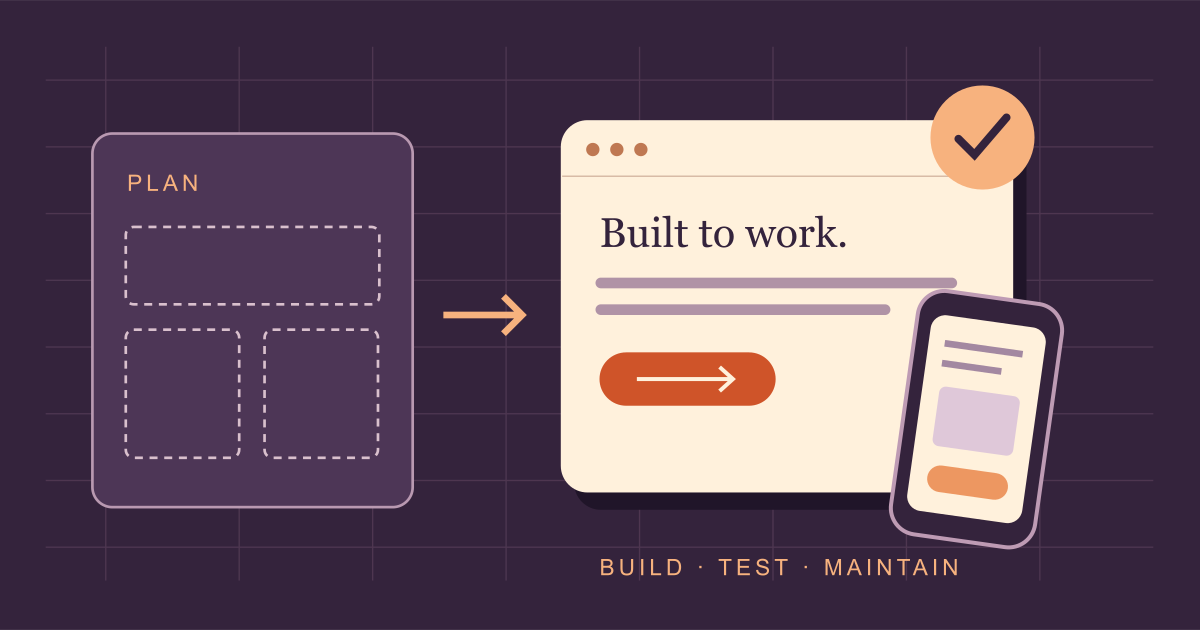
- Plan the purpose and content.
- Build the pages and features.
- Test real user journeys.
- Maintain the site and review changes.
2. Plan content and navigation before detailed design
List the pages your visitors need, what each page answers and where it should lead. Write the important content early. A real service description will reveal layout problems that a short block of placeholder text conceals.
Keep navigation labels familiar. “Services”, “About” and “Contact” are easier to interpret than a set of clever phrases with unclear destinations. Put related pages together and give important pages links from places where visitors would reasonably look for them.
For example, a construction company might give each core service its own page, connect those pages to relevant project examples and offer an enquiry route beside the project details. The structure follows the questions a potential customer has.
Agree before the build
- Page list and main navigation.
- Who supplies copy, photographs and approvals.
- Required forms, payments or integrations.
- What the team must be able to edit.
Keep for handover
- Access and ownership records.
- Instructions for routine updates.
- Backup and recovery arrangements.
- A named contact for maintenance.
3. Build responsive, accessible pages
A responsive layout needs to remain useful as the available space changes. Check what happens to navigation, tables, product options and forms on a narrow screen. A desktop layout compressed until the text fits is rarely a comfortable mobile experience.
Use real content when testing. Long page titles, several product variants and an error message can expose problems that a neat design sample misses. Try portrait and landscape views, increase text size and check that sticky elements leave enough room to read.
Accessibility belongs in the same review. W3C’s Easy Checks for web accessibility covers useful first checks including headings, alternative text, contrast, keyboard focus and form labels. W3C also makes clear that these initial checks do not amount to a complete accessibility evaluation.
- Use headings to describe the structure of the page.
- Give meaningful images useful alternative text; decorative images can use empty alt text.
- Make links and controls understandable without relying on colour alone.
- Keep keyboard focus visible and check that menus and dialogs can be used without a mouse.
- Label fields and explain errors beside the affected input.
- Provide an appropriate reduced-motion experience for animations.
Choose ordinary HTML controls when they do the job. A button should behave like a button. Replacing a familiar control with a custom interaction creates extra behaviour to build and test, especially for keyboard and assistive technology users.
4. Make performance part of development
Ask about speed while the design is taking shape. Large video backgrounds, multiple font families and third-party widgets all deserve a reason to be there. Removing an unnecessary feature is often a better starting point than trying to optimise it later.
For images, supply files suited to their display size, use appropriate compression and reserve their space in the layout. Consider lazy loading for images below the initial view. Give the main visible image separate attention so an optimisation does not delay the content visitors are waiting for.
| Metric | What it measures | Good threshold |
|---|---|---|
| LCP | Loading of the largest visible content element | 2.5 seconds or less |
| INP | Responsiveness to user interactions | 200 milliseconds or less |
| CLS | Unexpected layout movement | 0.1 or less |
Source: Google’s Web Vitals guidance. Assess these thresholds at the 75th percentile of page loads, separately for mobile and desktop. All three need to meet their respective targets for a good Core Web Vitals assessment.
Use laboratory tests to investigate problems, then review real-user measurements when enough data is available. A single test run cannot represent every visitor’s connection, device or interaction. If a report identifies a slow template, inspect representative pages using that template rather than chasing the homepage score alone.
Our technical SEO services can help investigate performance alongside crawling and rendering issues when those concerns overlap.
5. Protect the website and the data it handles
Document what information the website collects and where it goes. A simple enquiry form may send a message by email; a shop may connect payments, order records and customer accounts. Each connection needs an owner who understands its access and purpose.
Use HTTPS throughout the site, including loaded assets. Review cookie settings and relevant security headers with the developer. MDN’s security implementation guides explain protections including HTTPS redirection, secure cookies, cross-site request forgery prevention and Content Security Policy. These settings need to suit the application; copying a strict policy without testing can break legitimate features.
On the operational side, give people the access their role requires, use strong authentication where supported and keep credentials out of public code. Review third-party components before adding them. For WordPress, maintain an inventory of active plugins and themes so the team knows what requires updates.
Backups deserve a recovery test. Ask where they are stored, how recent they are and who can restore them. A backup that nobody has tried to recover leaves an important part of the plan unproven.
6. Build search foundations into the website
Development and SEO affect many of the same decisions. A page needs an address that works, meaningful content and a route through the website. Include search requirements in the brief so they can be checked during development.
Google’s SEO Starter Guide explains how links help people and search engines find pages, and recommends descriptive link text and clear, unique titles. Use those principles when planning navigation and writing page metadata.
- Choose readable URLs and keep them stable where practical.
- Write a distinct title and useful description for important pages.
- Link to related services and resources within relevant content.
- Check indexability, canonical tags and sitemap entries before launch.
- Use structured data that matches the visible page and supported content type.
When replacing an existing site, map old URLs to suitable new destinations before they disappear. Update internal links as well as redirects. A redesign needs its own SEO migration plan if addresses, content or site structure are changing substantially.
7. Test the customer journey all the way through
Click the main call to action and follow it to the end. Check a valid enquiry, a missing required field and an invalid email address. Read the error messages. Make sure a visitor can recover without losing everything they typed.
For an approved test submission, check the destination inbox as well as the success message. If the form connects to a CRM, confirm that the record arrives with the fields the sales team needs. A browser confirmation alone does not verify delivery.
Keep optional fields purposeful. Ask whether the team uses each answer before adding another question. Explain what happens after submission in terms the business can actually support. Avoid a response-time promise unless someone has agreed to meet it.
For ecommerce, walk through product selection, basket changes, shipping and payment using the payment provider’s test environment where available. Include failure and cancellation paths. Our conversion rate optimisation services focus on these points where visitors may struggle to complete an action.
8. Keep the build understandable for the next person
Choose technology your team can support. A small brochure site and a complex application have different needs. Ask the developer to explain the choice in terms of editing, integrations, hosting and ongoing maintenance costs.
Use consistent components for repeated elements such as buttons, service cards and form fields. Keep source code in version control, record important setup steps and separate credentials from the codebase. A future developer should be able to understand how to run and deploy the project.
For a content-managed site, test editing as an ordinary editor. Change a heading, replace an image and add a service. Check whether the layout survives realistic updates. A website that needs a developer for every small amendment can become difficult for a business to keep current.
9. Use a launch checklist with clear ownership
Give each check an owner and record the result. “Someone will check the links” is easy to lose during a busy launch. Keep a separate list of unresolved issues so everyone knows what remains and whether it affects release.
| Area | What to verify | Evidence to keep |
|---|---|---|
| Content | Approved copy, correct contact details and no placeholder text | Reviewed page list |
| Interactions | Navigation, forms, search and checkout where relevant | Recorded test outcomes |
| Devices and access | Representative browsers, phones, zoom and keyboard use | Issues and fixes |
| Search | Indexability, redirects, internal links and metadata | Crawl and URL checks |
| Operations | HTTPS, backups, monitoring and rollback steps | Deployment and recovery notes |
Run the checks on the public website after deployment too. Hosting, caching and production integrations can behave differently from a preview. Confirm that any temporary restrictions used on staging have been handled correctly, while private areas remain protected.
If something breaks, the team should know how to return to a working version. Agree that process before release, including who can make the decision and what happens to new enquiries or orders received after the change.
10. Keep improving after launch
Set a maintenance schedule that reflects the platform and the importance of the site. Review updates, failed forms, broken links and changes made by editors. Check key journeys again after significant plugin, theme or integration changes.
Use measurement to choose the next piece of work. If visitors reach a service page but cannot understand the offer, the answer may be clearer content. If they begin a form and encounter an error, fix the form first. Record the change and review the result before deciding what to do next.
- Identify a specific problem using available evidence.
- Agree the change and how you will check it.
- Test it before release.
- Review the live result and keep the record.
The most useful web development best practices are the ones your team can repeat. Keep the checklist manageable, assign responsibility and make room for maintenance in the budget. Those habits make future changes easier to assess and safer to release.
What should your website do better?
Share a page that needs work or tell us about your next website project. We can help you agree the content, development and testing it needs.
Discuss your websitePlanning a new build? Explore our website design and development services or see how we work before putting together your brief.