
For a small team choosing its first AI tool for content marketing, we would start with ChatGPT for planning and drafting. Your next choice depends on where the work gets stuck. Canva can help with visuals, Jasper with shared brand guidance, and Buffer with social posts. Test each candidate on a real brief before committing to a subscription.
What is the top AI tool for content marketing?
For a small team choosing its first general writing assistant, our starting recommendation is ChatGPT. Use it to work through a brief, question an outline and adapt approved material for another channel. Its Projects feature keeps related files and instructions together, which makes recurring work easier to organise. The official OpenAI documentation explains how that shared context works.
That recommendation is an editorial choice based on the work a small content team needs to do. A company with established brand rules and several writers may prefer Jasper. If you already have an assistant you like but lose hours making graphics, Canva may be the more useful next purchase. Choose the job you need help with before comparing subscriptions.
Write down the last piece of content that got stuck. Was the brief vague? Did the draft need repeated factual corrections? Was the article ready but waiting for a visual? Buying a tool for that specific delay gives you something concrete to evaluate. Our content marketing services start with the audience and purpose of the work, so the production choices support a page worth publishing.
Top AI tools for content marketing by task
| Tool | Where we would try it | What to evaluate |
|---|---|---|
| ChatGPT | Planning and adapting content with shared project context. | How well a draft follows your brief and uses the supplied facts. |
| Claude | Discussing and revising copy against reference documents. | Whether edits preserve the meaning and detail you need. |
| Jasper | Content production governed by shared brand guidance. | How much correction writers need after applying that guidance. |
| Semrush Content Toolkit | Search topic research, briefs and content optimisation. | Whether recommendations answer the buyer’s question. |
| Canva AI | Making and adapting visual content. | Legibility, factual accuracy and consistency with your templates. |
| Buffer AI Assistant | Turning approved material into social posts. | Whether each post fits the channel and gives readers a reason to click. |
There is enough overlap here to buy features you already have. Start with a task you repeat often, then compare a finished piece of work. A pleasant first draft can still take an hour to verify and repair. Count that time when deciding whether a tool earns a place in your process.
ChatGPT and Claude for briefs and editing
In ChatGPT, keep the approved brief and source documents in a dedicated project. A useful trial is to ask it to identify unanswered questions in a service page, then draft a section using only the information you supplied. Mark gaps in the source material for a colleague to answer. Check whether the next draft uses those answers accurately.
For Claude, the comparable starting point is a project with reference documents and instructions. Its project documentation describes workspaces with their own context and knowledge bases. Try asking it to edit an existing article while preserving the examples, numbers and qualifications. Read the result beside the original. If an edit makes a claim broader, return to the source before accepting it.
Run the same exercise in the assistants you are considering. Use a page your team understands well, so you can spot a plausible mistake. Ask the editor which version took less work to approve. That gives you a decision based on your own copy and standards. Our SEO content strategy guide can help you define what each page needs to do before you start drafting.
Jasper and Semrush for recurring marketing work
Jasper deserves a look when the team repeatedly has to explain how the brand speaks. Jasper IQ stores guidance covering voice, audiences and company knowledge, with style and visual standards as well. Those controls can be useful when multiple people produce campaign material. Start by checking how it interprets one approved writing sample. Then test a sample that has a deliberately different purpose, such as a product update. Jasper describes the components in its Jasper IQ documentation.
Semrush Content Toolkit is worth considering when search research and briefing are the slow parts. It includes Topic Finder, SEO Brief Generator, AI Article Generator and Content Optimizer, alongside repurposing features. Use the research to inspect what a proposed page should cover, then check whether the brief fits your offer. A recommendation to mention a topic still needs an editorial decision about whether it helps the reader. See Semrush’s Content Toolkit documentation.
For example, a payroll software company might need a guide to moving from spreadsheets. Its most useful sections could explain data cleanup and the handover to finance. Ask the people handling migrations where customers struggle, and use those answers in the brief. Search research can help you discover competing pages, but your own team has to supply the details of the move.
Canva and Buffer for visual content and distribution
Canva AI is a practical choice when a finished article needs a diagram, a presentation or social graphics. Its current suite includes image generation and editing, writing assistance and format resizing. Build one reusable layout with your actual fonts and colours, then try adapting it for another placement. Read the exported version at phone size. A comparison graphic fails if the labels become too small to read. Canva lists these capabilities on its AI product page.
Buffer’s AI Assistant helps generate and refine social posts, including adapting existing material. It fits a team that already has approved content but needs help expressing it in shorter formats. Start with one section of an article and ask for a post built around the example in that section. Compare it with the source before scheduling. Buffer explains its AI Assistant integration.
A good social post should give someone a reason to read the destination page. For a guide about returning faulty products, use a useful detail about recording the fault or finding the order number. Link to the part of the guide that explains what to do next. Our social media marketing service covers planning and managing that publishing work.
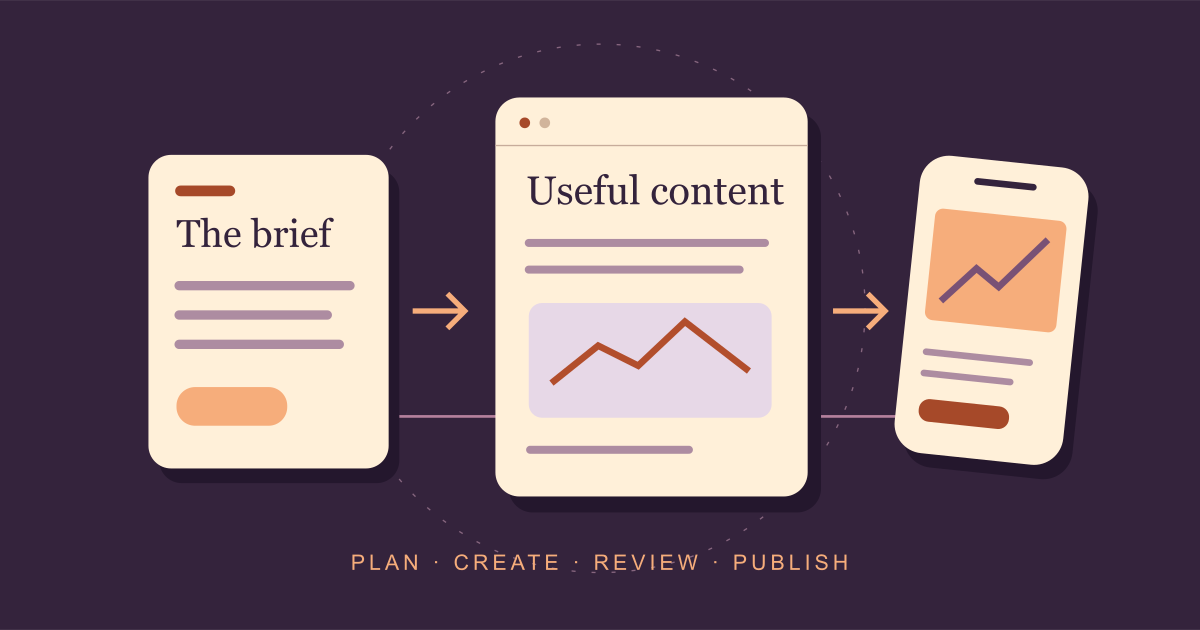
A content workflow you can use with AI tools
Prepare the brief
Choose the reader, question and destination page. Collect facts the writer can use.
Draft and challenge
Ask the assistant for a draft. Have a colleague check its explanation and examples.
Build the visual
Explain a process, comparison or decision. Check the graphic at the size readers will see.
Publish and review
Check the links and next step. Record what happened after people visited the page.
Suppose a cleaning company wants enquiries from office managers. Start with a real question from a recent sales call, such as how to arrange cleaning while staff still have access to the building. Ask the account manager what needs to be agreed about keys and handovers. Those answers become source notes for the article.
The assistant can help organise the notes into an outline. Check that order with someone who handles the service, then develop the explanations. A useful graphic might show the handover between the evening cleaner and the morning office manager. After publication, create a social post about one handover detail and link to the guide. Give the reader a way to ask about their own site.
How to choose content marketing AI tools without overspending
Pick two candidates for the task you need to improve and give both the same brief. Use a piece of work you would actually publish. Record the time spent preparing instructions, correcting the result and getting approval. Keep the editor’s notes. If both tools struggle with the same missing detail, your next step may be to improve the source material.
| Check | Record |
|---|---|
| Accuracy | Claims needing correction and facts the tool added without a source. |
| Editorial effort | Minutes spent editing before someone approved the work. |
| Usefulness | Whether the page answers the brief and helps the reader take the next step. |
| Practical fit | Export, review and sharing steps your team needed to complete. |
| Total cost | Subscription, extra seats or credits and the time spent producing approved work. |
Read the current plan details before subscribing. Check the specific feature and usage allowance you need, especially if another person must review work in the same workspace. Start with a short trial on a recurring task. A tool that saves editing time on the work you publish every week has a clearer purpose than a subscription you open only to generate more ideas.
What still needs human review?
Verify product details and customer claims against an approved source. If a draft says your service includes a guarantee, confirm that someone responsible for delivery has approved it. The same applies to statistics and case study results. Follow citations to the original page and check what the number measures before using it in the text or a chart.
Look for the detail that makes the page yours. Add a real example with permission, an explanation from the delivery team or a photograph that helps someone complete a task. For advice aimed at Google’s AI results, our Google AI Overviews SEO guide explains page eligibility and measurement.
Once the content is published, review the pages people visit and the next steps they take. Track enquiries where your setup supports it, and ask the sales team whether those enquiries fit the service. Use that feedback to decide which explanations deserve more work. The publishing process should leave you with a useful page and a clear reason to update it.
Which part of your content process needs help?
Share a page or a recurring task. We can help you decide what to improve and where AI could fit into the work.
Discuss your content workflowExplore content marketing support